
Release ticket
When a ticket is self-billed, it is no longer available for invoicing and is not included in the global invoice; in other words, it becomes inactive.
The term "Liberar ticket" (Release ticket) refers to reactivate a previously invoiced ticket. It's important to understand that this process "Cancels" the invoice generated with that ticket, so when it is self-invoiced again, only one invoice will exist.
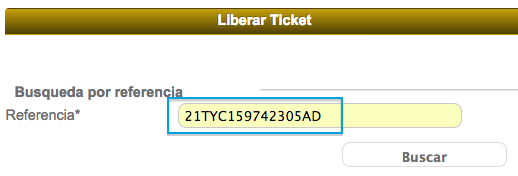
To release a ticket, add the reference No. ticket (ticket number) and click the "Buscar" button.
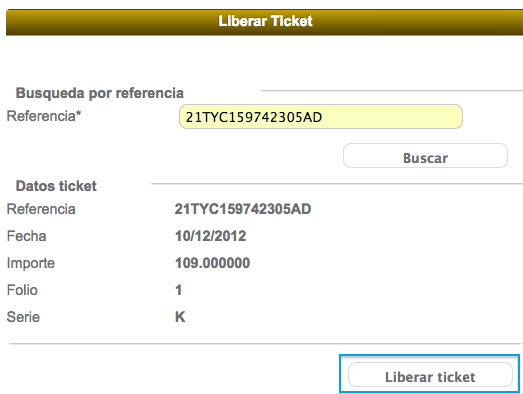
The system will display the ticket details (date, total amount, invoice number and series), click on the "Liberar ticket" button to complete the process.
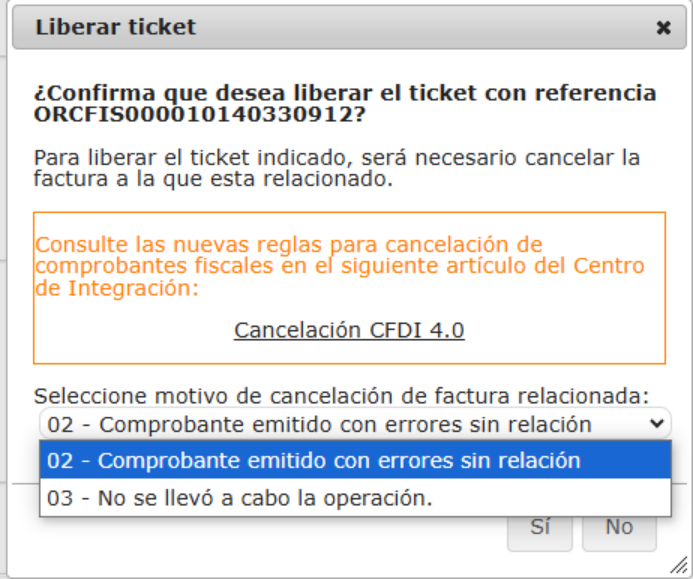
The system will confirm the release of the ticket. Select the reason for canceling the related invoice.
Finally, the confirmation message will be shown.

