
Introduction
Description
This user manual serves as a quick reference to the application of the electronic self-invoicing administration portal.
Login
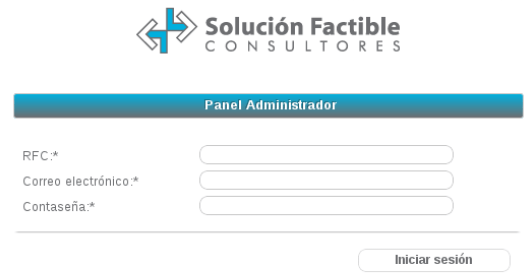
Your Sales Executive will tell you which user is assigned to the administration of the panel, and will also provide you with the login link from your preferred internet browser.
Example:
RFC: XAXX010101000
User account: usuario@ejemplo.com.mx
Password: ********
Access link: https://solucionfactible.com/facturacion/emisor.jsp
To authenticate on the administration portal, you must add the requested data. The RFC will then be that of your company, the email and password are those you use to log in to the SF:ERP portal. If you change the password on that portal, you will authenticate with the new password on the administration portal.
Panel options
The administration portal presents you with a menu of the options and modules available for your management.
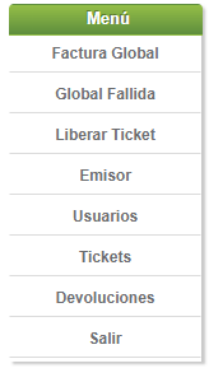
- Global Invoice: Creation of the global invoice.
- Release ticket: Release of invoiced tickets.
- Issuer: Set ticket expiration date.
- Users: Add administrator users.
- Ticket: Check ticket status.
