Tags: Invoicing, Sales order, use, catalog, product
Lesson ID-105.4
Updated to:
26/12/2025
Lesson objective
The user should know how to select products/services when creating an invoice or a sales order.
Use a product
To perform this action, you must first log in to the system as instructed in lesson ID-101.1
Whether you are creating an ID-103.2 voucher or an ID-108.1 sales order, the way you select products/services varies depending on whether you are in catalog or manual mode. To determine which mode the system is in and how to change it, see lesson ID-103.15
Catalog mode
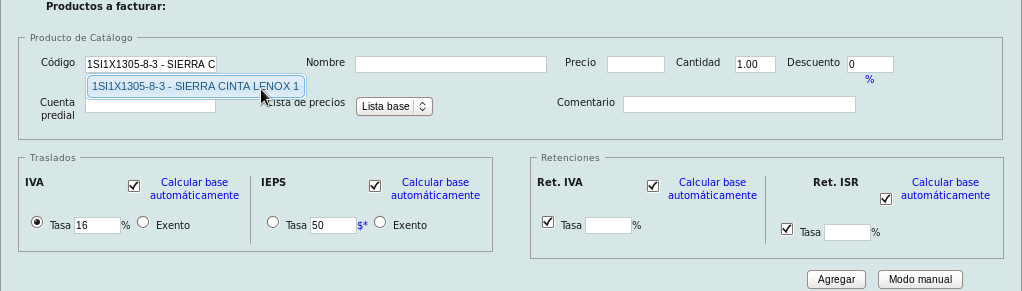
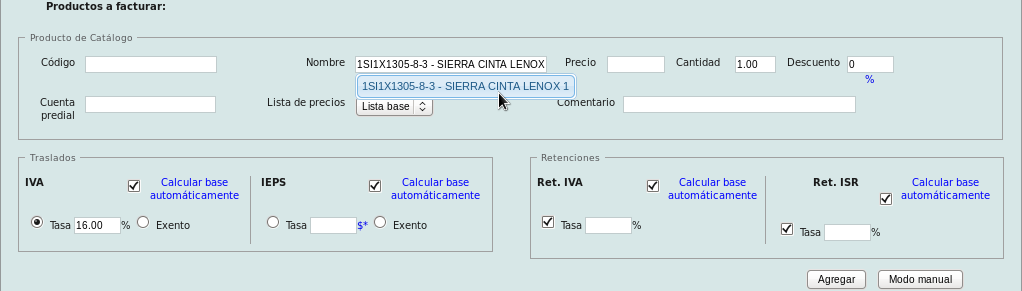
Search for the registered product using its code or name and click on the search result:
By code:
By name:
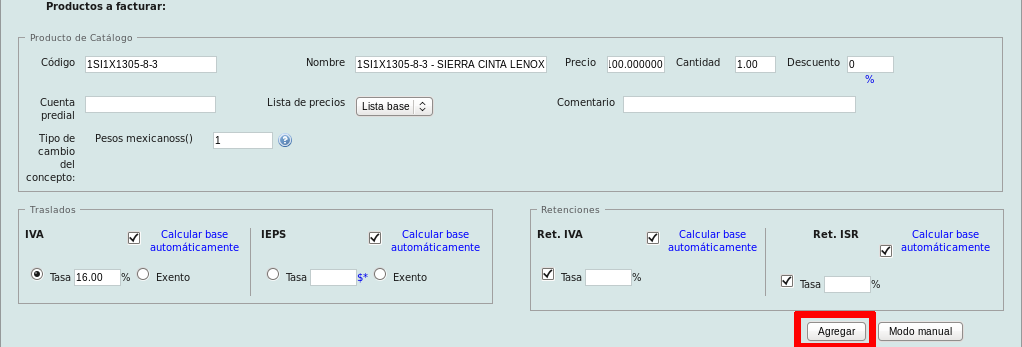
Fill in the necessary fields for the product you want to add, then click the "Agregar"button.
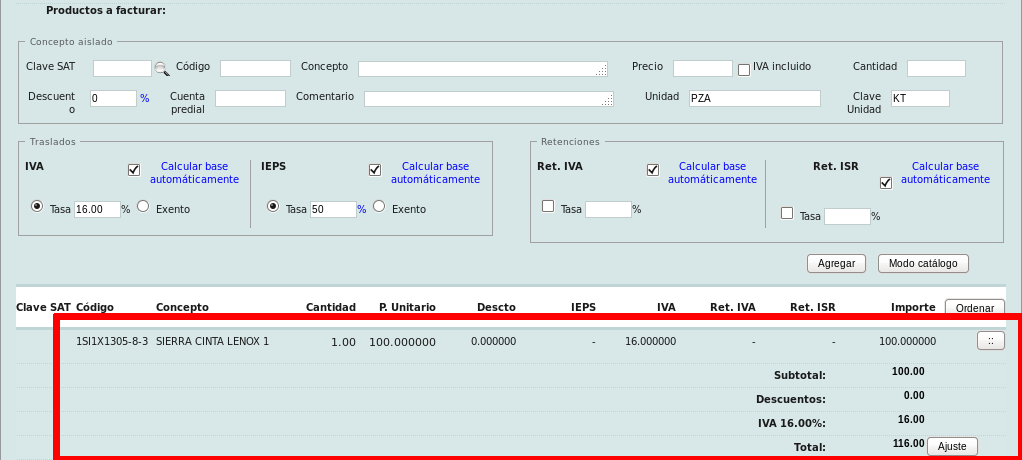
You will see that the added product/service and the relevant information will now be displayed at the bottom of the panel.
Manual mode
To add items manually, you need to specify the following: clave SAT, concepto, precio, cantidad, unidad and clave de unidad. If you don't know the code for the product/service you need, please see lesson ID-105.3.
Once ready, click the "Agregar" button.
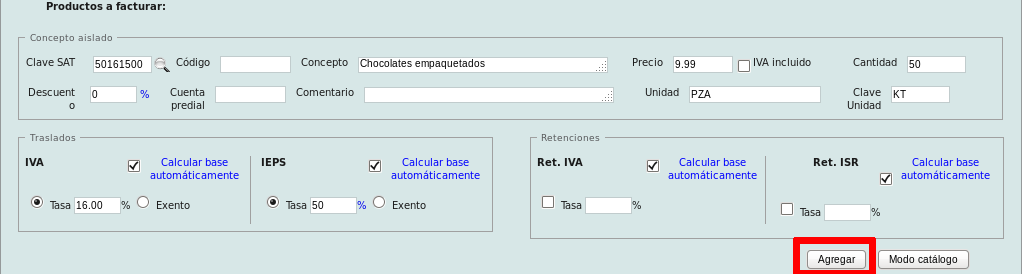
You will see that the added product(s) or service(s), along with the relevant information, will be displayed at the bottom of the panel.
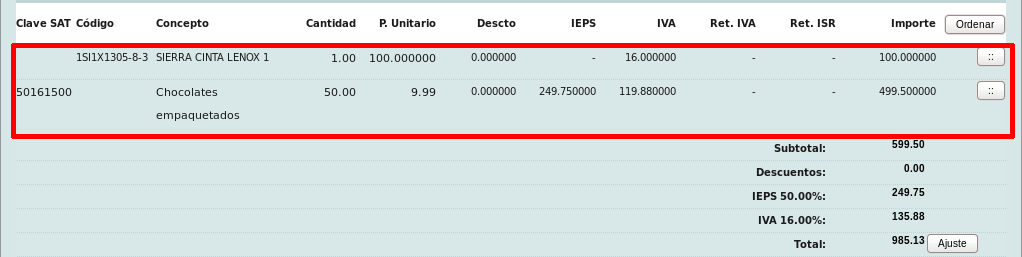
You can add as many products/services as you need, and in whatever way you deem most appropriate.
