Tags: Invoicing, catalog, product, SAT key
Lesson ID-105.3
Updated to:
17/02/2026
Lesson objective
The user should know how to quickly find the SAT code for a product/service.
Search advantages
With the easy and fast search function in the Solución Factible® system, you don't need to learn the codes for the products and/or services you need to invoice, nor do you need to know if they require IVA or IEPS tax, as the system will tell you.
Find the SAT code for a product
To perform this action, you must first log in to the system as instructed in lesson ID-101.1
You can search for the key when creating a new product (ID-105.1).

*When adding SAT key
Or when creating a Sales Order or CFDI (ID-103.2).
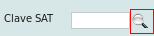
*When specifying a product/service to be invoiced
Click on the magnifying glass icon. If you don't see the icon when creating a sales order or e-document and specifying a product/service to be invoiced, it's because you are in "Modo catálogo".
To switch to "Modo manual," click on lesson
ID-103.15.
A window will appear where you can search for the product or service. First, specify whether it is a product or a service. The sections below will display the products and/or services within categories that will help you narrow down your search..
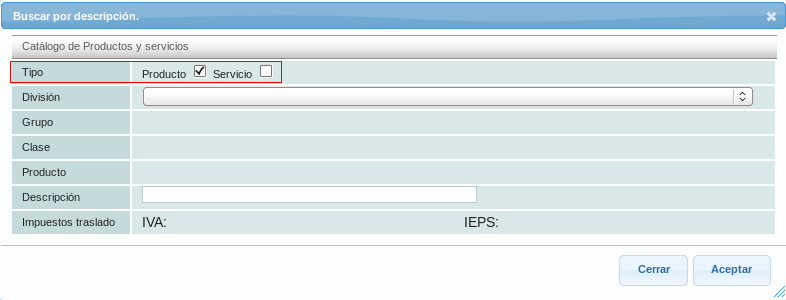
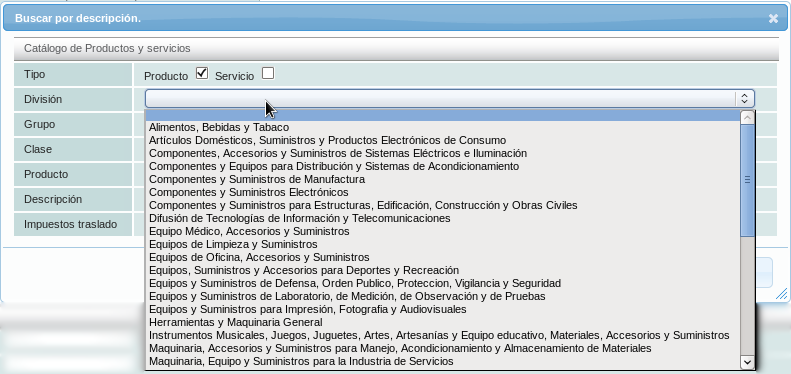
Start by clicking on the "División" section, and then choose one.
Then in "Grupo".
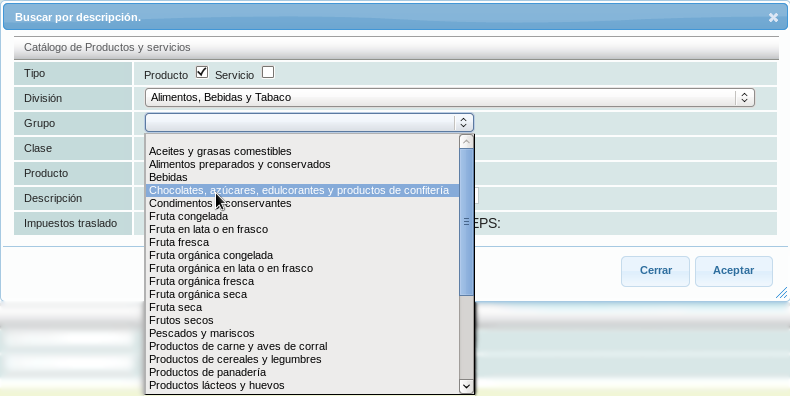
Finally, in the "Clase" section you will find the list of products where you can locate the one you are looking for.
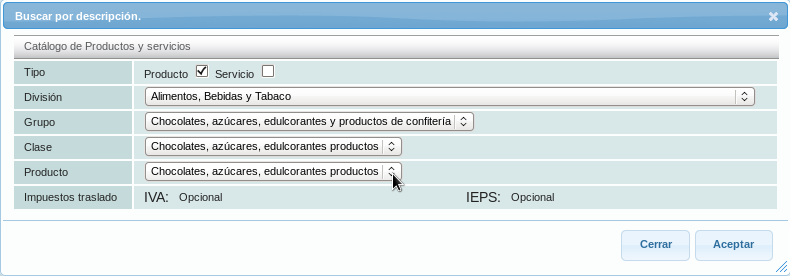
After selecting the product/service, the system will inform you if it requires specifying IVA and/or IEPS (Special Tax on Production and Services), as you can see in the example, both taxes are optional for this product.
If you already know a keyword for your product/service, you can enter it before selecting the "Division," and the system will show you the matching options.
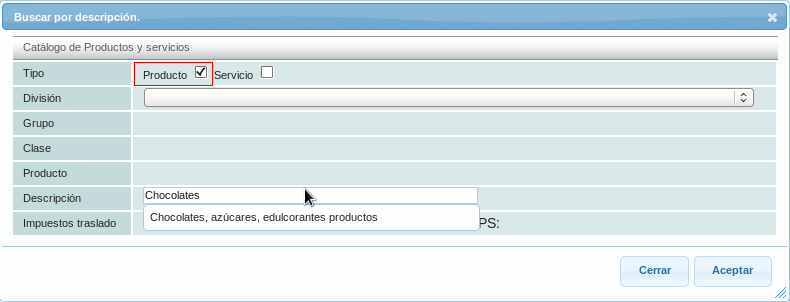
. Finally, click on the "Aceptar" button, and the key will be displayed.

