Tags: Sales order, invoicing, automate
Lesson ID-108.3
Updated to:
24/02/2026
Lesson objective
That the user knows how to automate the invoicing of recurring sales orders.
Automatically invoice sales order
To perform this action, you must first log into the system as indicated in lesson ID-101.1
To automate invoicing, you first need to create the recurring sales order as described in lesson ID-108.1
Click on the "Editar" button.

Go to the "Recurrencia" section and select the option "¿Facturar instancias automáticamente?".

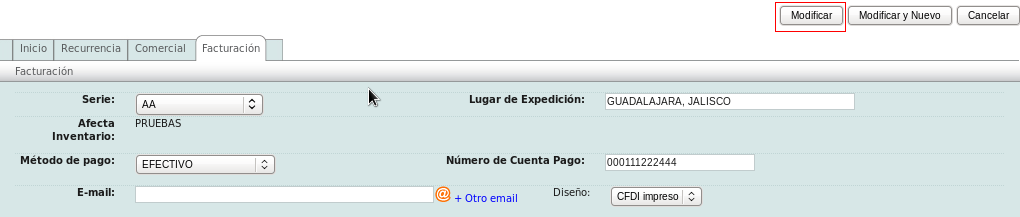
Go to the "Invoicing" section and specify the "Serie", "Lugar de Expedición", "Método de pago" and "Número de Cuenta Pago", and click on the "Modificar" button.