Tags: cancel, e-document
Lesson ID-110.1
Updated to:
20/01/2026
Lesson objective
The user should be familiar with the process of canceling an e-document through the portal.
Cancel an e-document
See general information about Cancellation 4.0 here.
Log in to the system as instructed in lesson ID-101.1
Once inside the system, go to the "Invoicing" module.

Click the checkbox next to the e-document you want to cancel.
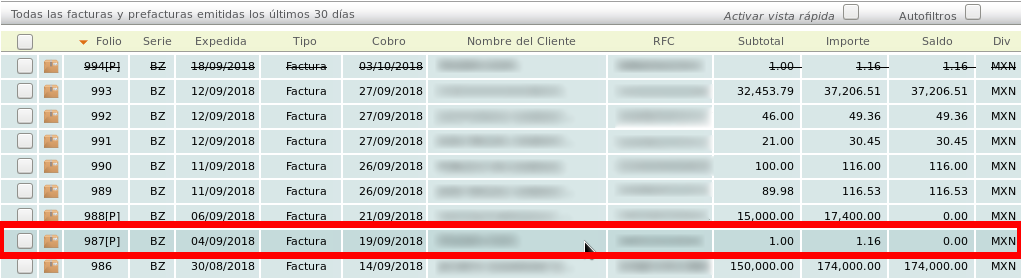
Go to the "Actions" menu on the left and click on the "cancelar" option:

A menu will be displayed where you will need to specify the reason for cancellation to the SAT (Mexican Tax Administration Service).
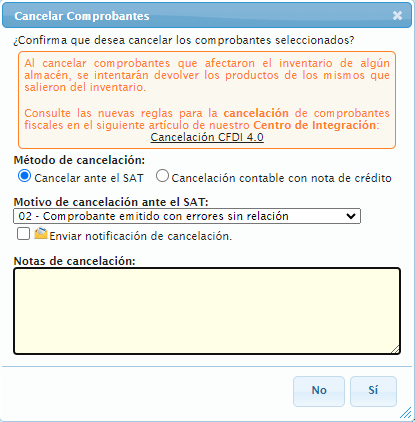
There are different reasons for cancellation, each referring to particular scenarios.

You can find this information at the following link: Why is it important to correctly cancel an electronic invoice (CFDI) 4.0?
Therefore, if you need to select the reason “01 - Comprobante emitido con errores con relación”, please consult the Cancel and replace invoice. manual. For all other reasons, you can select the appropriate option and continue.
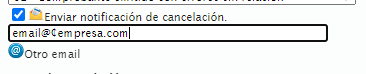
Next, click on "Otro email" to notify the user via email that they must log in to their tax mailbox to continue the cancellation process.
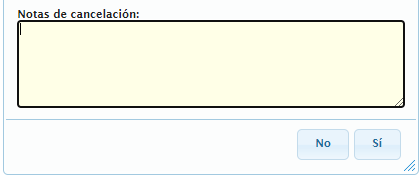
Finally, you can include cancellation notes, which will be stored in Solución Factible and will not be shared with the SAT (Mexican Tax Administration Service).
Then click on the "Sí" button.
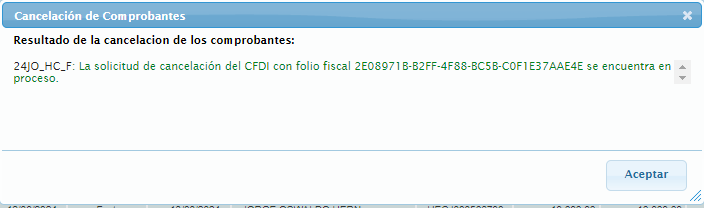
The following message will be displayed, indicating that the process has started.
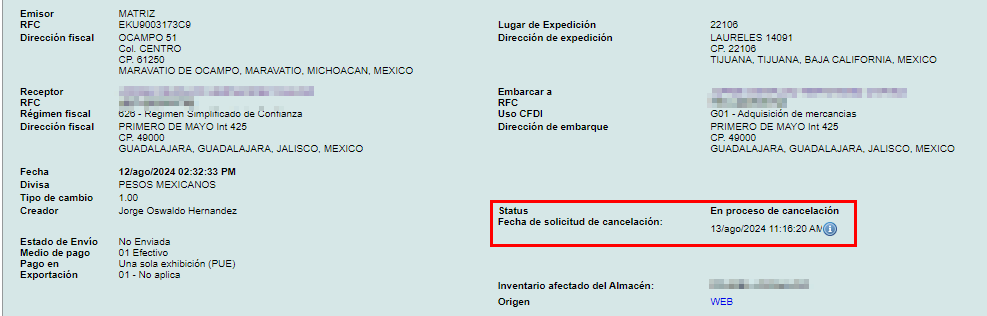
This same status can be viewed within the e-document.
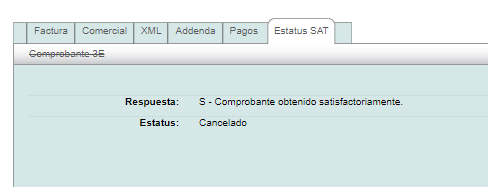
Or update it in the "Estatus SAT" tab.
Note: The SAT (Mexican Tax Administration Service) may take some time to complete the cancellation of an invoice. It is recommended to check the process in the CFDI tab.
If the invoice requires acceptance from the recipient, a minimum waiting period of 72 hours should be considered for the recipient to approve the invoice cancellation.
NOTICE.
“The Tax Administration Service (SAT) is the only institution in Mexico with the authority to cancel or determine the cancellation status of issued CFDI (electronic invoices). Under no circumstances may a certified provider cancel an invoice without prior authorization from the SAT.”
If you have any questions regarding this process, please contact the Technical Support department through the Solución Factible portal.
