Tags: Invoicing, Payments, Payroll, RecepciónCFD, withholdings, credit note, contract
Lesson ID-106.4.2
Updated to
10/02/2026
Lesson objective
So that the user knows how to check how the folios are being used.
See what folio is being used for
When you purchase a certain number of folios, these can be used to create e-documents for:
- Income.
- Expenses (Credit notes).
- Payments.
- Payroll.
Or to receive e-documents. However, creating a withholding receipt will NOT consume any folios.
For example: if today on the portal, you:
- Receive 5 invoices.
- Create 2 income receipts.
- Create one credit note.
- Generate 2 payment receipts.
- Create 10 payrolls.
- And 3 withholdings.
It will have consumed 20 folios (5 CFD receipt + 2 income + 1 expense + 2 payments + 10 payroll).
If you want to know how your folios have been used, continue with the following steps. But if you need to see the number of folios you have purchased, skip to lesson ID-106.4.1
To perform this action, you must log into the system as indicated in lesson ID-101.1
Income and Expense
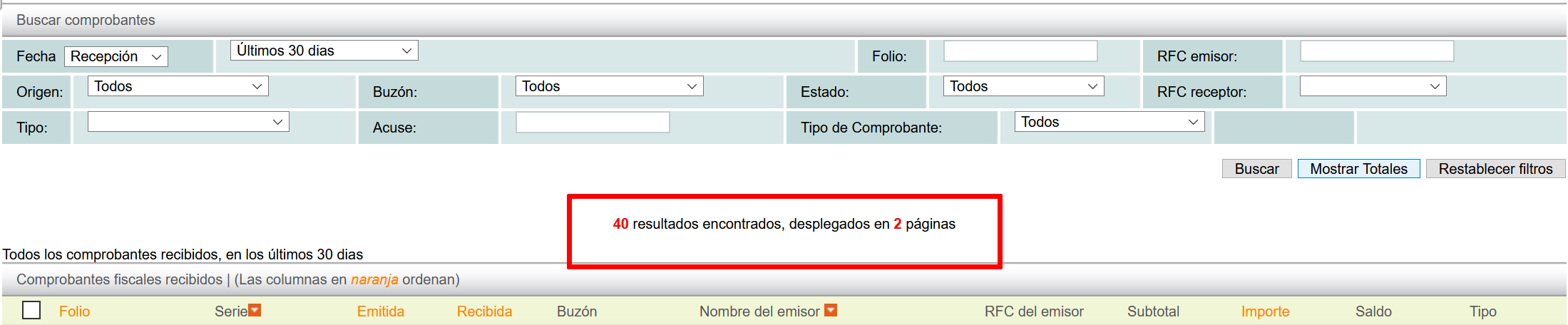
Within the "Invoicing" tab, you can view income and expense invoices. First, use the search filters to narrow your search to a specific period. Then, click the "Mostrar Totales" button.

The number of invoices created will be displayed, reflecting the folios consumed by income and expense invoices.

Payments
The same procedure as in the previous section is used to find the payment folio number; to do this, go to the "Payments" tab.
Payroll
To search for payroll-related folios, go to the "Payroll" tab. In the search filters, choose the "Lista de nómina" option, and in the "Fecha de pago" filter, select an option.
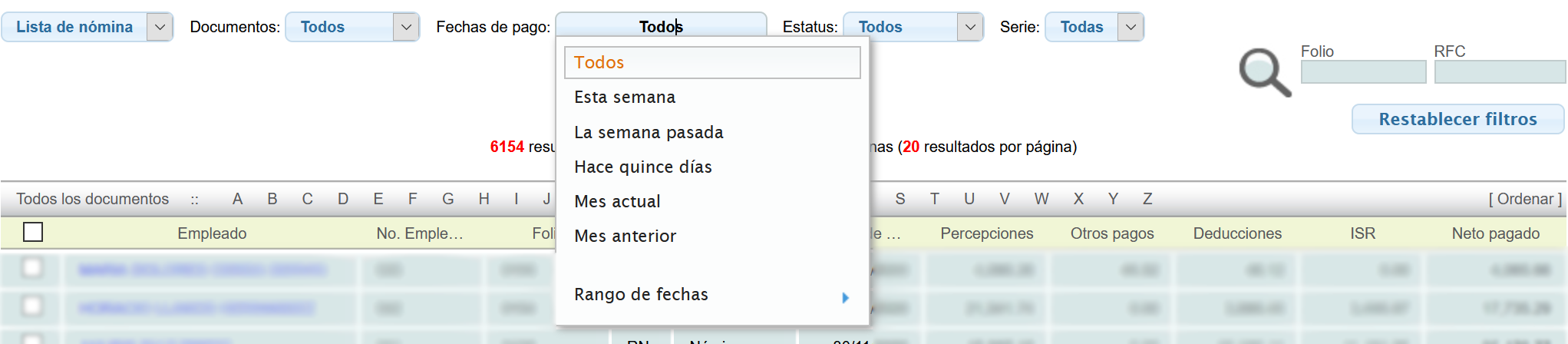
After choosing a date option, the system will automatically display the results.

Reception
To search for invoice numbers for received receipts, go to the "RecepciónCFD" tab. Select an option for the period and then click the "Mostrar Totales" button.
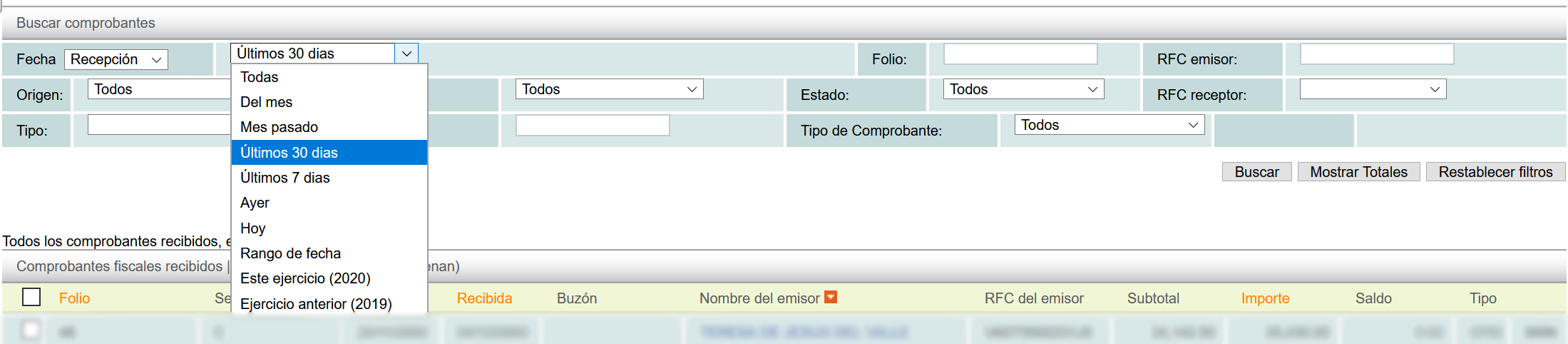
The number of e-documents received will appear, reflecting the folios consumed per CFD receipt.