Tags: consumption, pages, contracted
Lesson ID-106.4.1
Updated to
08/01/2026
Lesson objective
The user should know how to view the summary of contracted page usage in the system.
Contracts - Summary of pages
In the "Contratos" section, you can quickly and easily find information about your company's page usage.
This allows you to consider purchasing more pages from Solución Factible® when you notice your current supply is running low, thus avoiding delays in your invoicing.

It's worth mentioning that the system automatically notifies you when you have only 10% of your contracted pages remaining.
To do this, log in to the system as instructed in lesson ID-101.1
Once inside the system, go to the "Invoicing" module.

Next, click on the "Settings" button located in the "Actions" menu.
The available options in the settings panel will be displayed shortly. Click on the "Contratos" option.
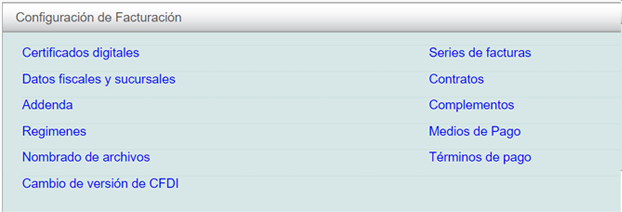
Contratos
Upon logging in, you will be able to view the list of contracts entered into, the date they were made, and the number of pages.
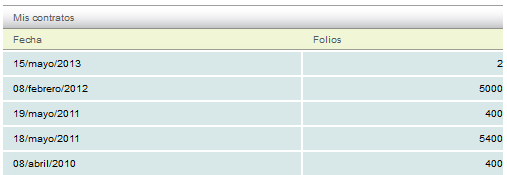
Below you can see a breakdown of the contracted, consumed, and available pages.

Note: It is important to mention that the contracted vouchers are valid for one year from the date of purchase.
