Tags: see, download, CSD, configuration
Lesson ID-106.1.1
Updated to
30/12/2025
Lesson objective
The user should know how to view and download the digital signature certificates registered in the system.
Download the CSD (Digital Seal Certificates)
The Digital Seal Certificate (CSD) is issued by the SAT (Mexican Tax Administration Service) and is for the specific purpose of generating Digital Tax Receipts (CFD).
The CSD consists of a public key (.cer) and a private key (.key). However, it is crucial to understand that the CSD is different from the e.firma (Electronic Signature), formerly known as FIEL. Furthermore, the CSD must be registered in the List of Obligated Taxpayers (LCO), which is a list issued by the SAT that, in short, contains the CSD of those taxpayers who are authorized to issue electronic invoices.
To perform this action, you must first log in to the system as instructed in lesson ID-101.1
Once inside the system, access the "Invoicing" module.

Next, click on the "Settings" button located in the "Actions" menu.
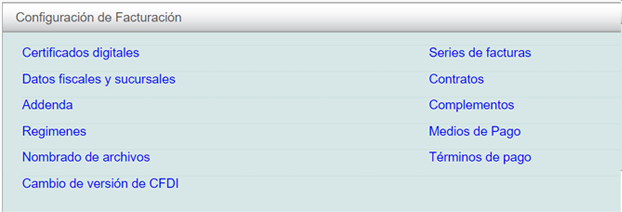
The available options in the settings panel will be displayed shortly. Click on the "Certificados Digitales" option.
If your certificate is not valid, you will need to upload a new one. For more information about this process, please refer to lesson ID-106.1.2
View and download the registered CSDs
By clicking, you will see the certificates that you have registered in the system.

To download your certificate, simply click on the icon
 The system will download a ".zip" file containing your CSD digital certificate.
Note: for security reasons, the certificate password is not included in the .zip file, so you will need to have a backup of this information.
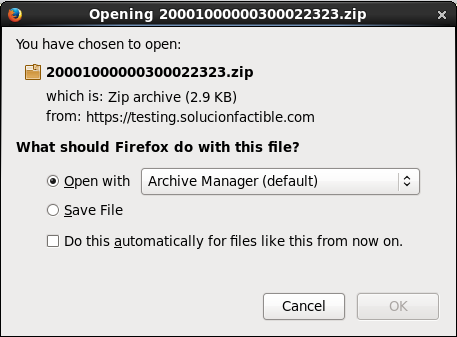
Finally, accept the download and save your certificate.
