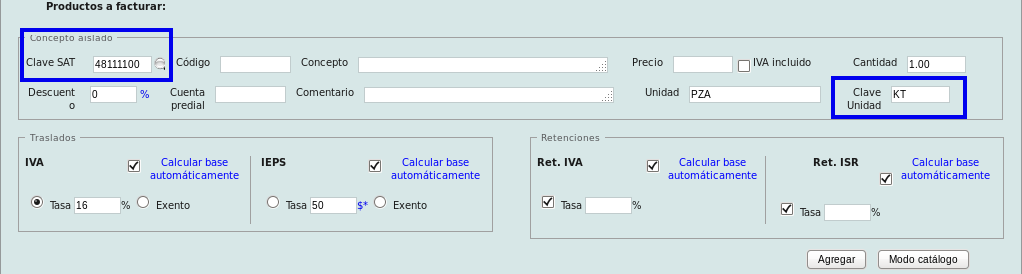
Tags: configuration, predetermine, SAT key, product
Lesson ID-109.2
Updated to:
12/08/2026
Lesson objective
That the user knows how to predetermine a product/service or unit key for invoicing.
Predetermine product or service keys, and unit
To perform this action, you must first log into the system as indicated in lesson ID-101.1.
Click on the "Preferences" button located in the black menu at the top right of the screen.

In the "INVOICES" section you will find empty fields for "Default ProdServ" and "Default ClaveUnidad".
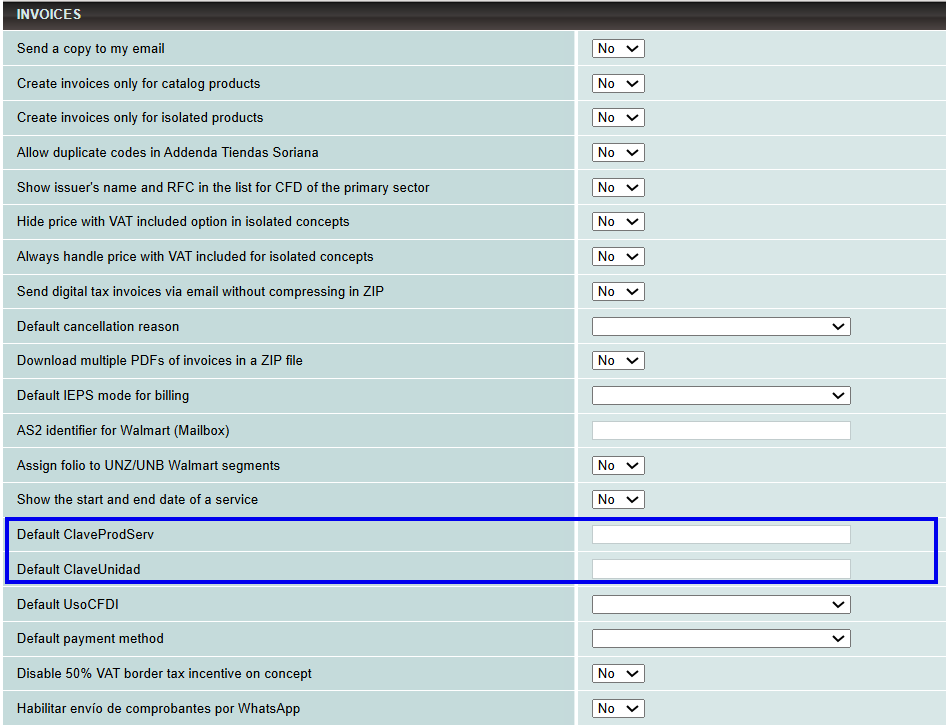
Fill in both fields with your preferred keys.

If you are still unsure what the key is for a product or unit, you can look them up at the following links:
If you are unsure of the best key for your product/service, you can consult this link from the SAT.
Once both keys have been defined, click on the "Save" button.

The system will confirm that the preferences were saved.

The next time you invoice a product or service, the system will automatically complete the fields for both keys (claves).