Index | Lesson index | Lesson ID-107.1 -- Create an e-document with payment complement for a SPEI payment
Tags: Payments, CFDI, 4.0, payment complement, SPEI, transfer
Lesson ID-107.1
Updated to:
11/02/2026
Lesson objective
That the user knows how to create a CFDI with a payment complement for a payment through an electronic funds transfer via SPEI.
Create an e-document with payment complement for a SPEI payment
To perform this action, you must first log into the system as indicated in lesson ID-101.1
Next, click on the "Payments" tab.

Next, locate the "Actions" menu on the left side of the screen, and click on the "crear pago manual" option.

To do this, you must first gather information from the recipient.
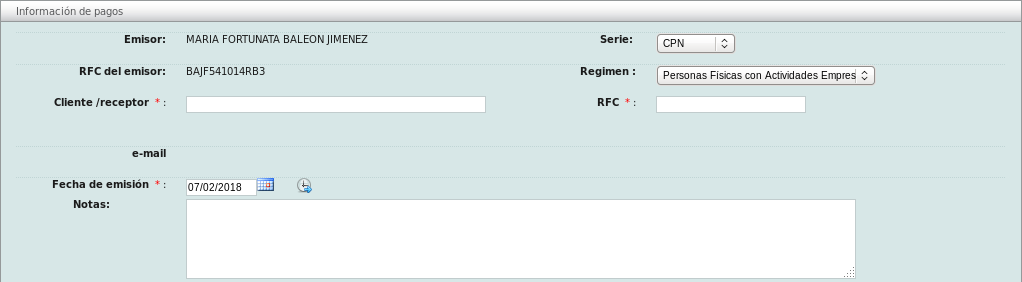
Next, you will need to gather the general payment information. First, specify the date and time of payment, the amount, and the currency.
In "Forma de Pago:" select the "Transferencia electrónica de fondos" option and then in "Tipo de Pago:" select "SPEI".
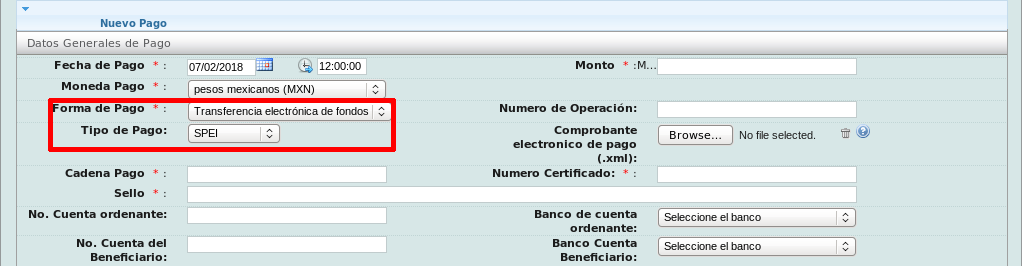
Next, upload your "Electronic Payment Receipt." If you cannot find it, the system can direct you to theBank of Mexico´s website where you can locate it. Once the document is uploaded, the system will automatically complete the rest of the Banking Information (Datos Bancarios) section.
You must fill in the fields of the document (CFDI) related to this e-document. It is very important to remember that you can only reference those CFDIs that are linked to the recipient of this e-document.

You can add as many receipts as you need. Once you have finished this process, click the "Guardar" button.