Tags: Payments, factoring
Lesson ID-107.6
Updated to:
24/02/2026
Lesson objective
That the user knows how to use factoring in the Payments module.
Use factoring
Before you can use factoring in the Payments module, you need to have the "Use factoring" permission. If you do not have it, please contact our Support department
To perform this action, you must first log into the system as indicated in lesson ID-101.1
Click on the "Payments" tab.

In the "Actions" menu on the left side of the screen, click on the "crear pago manual" option.

Click on the "Habilitar factoraje" option.
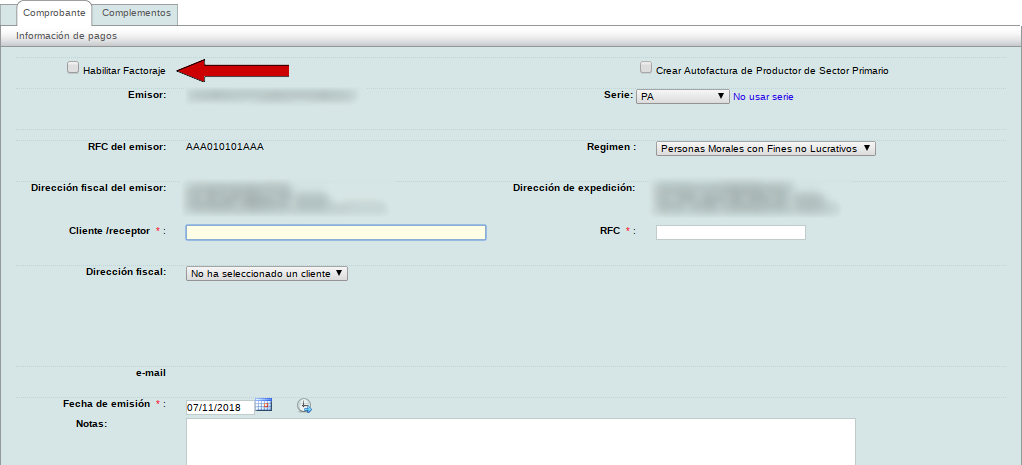
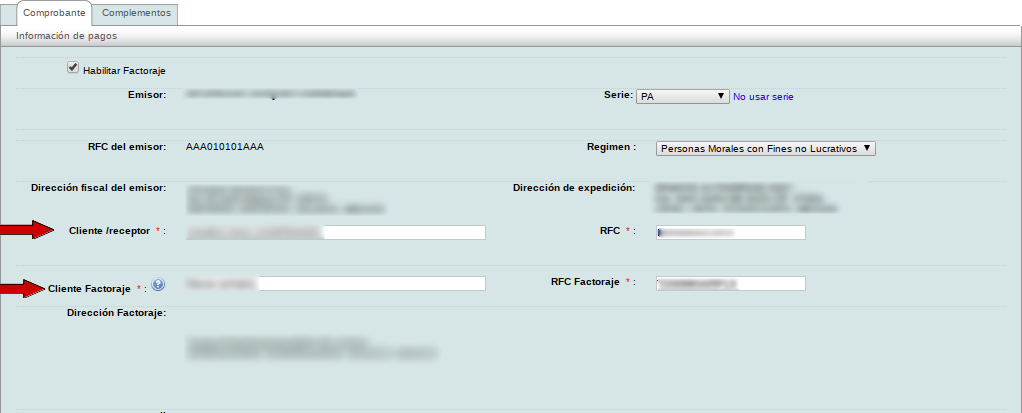
Once factoring is enabled, the recipient's information on the electronic payment receipt will be replaced with the factoring client's information. The "Crear Autofactura de Productor de
Sector Primario" option will also be hidden.
Please fill in the "Cliente/receptor" and "Cliente Factoraje" information.
Once all the information on the payment e-document has been filled in, click on save.
The electronic payment e-document contains the previously entered data for the factoring client. We can also see the client to whom the payment was made.
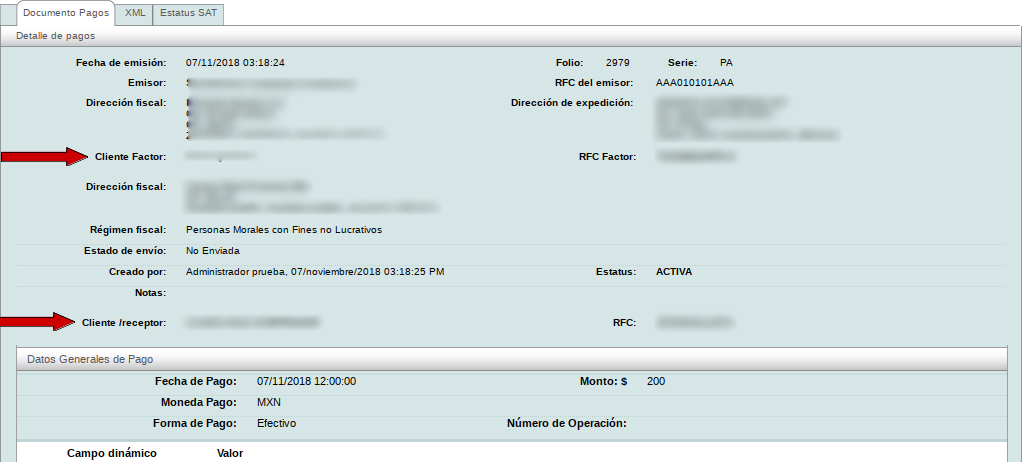
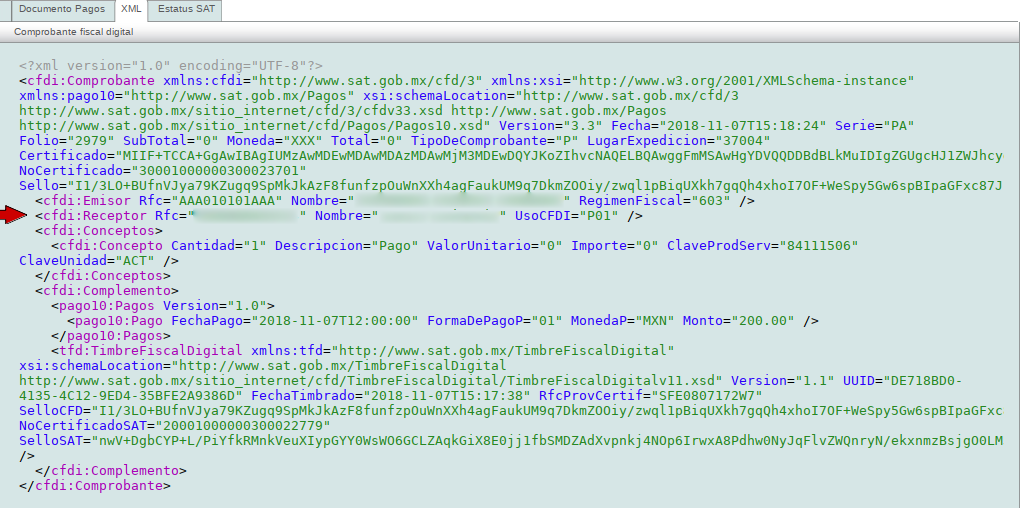
In the XML we can again see the data of the factoring client with whom the electronic payment e-document was created.