Tags: Invoicing, create, invoice, tax, IEPS
Lesson ID-103.2.5
Updated to:
09/02/2026
Lesson objective
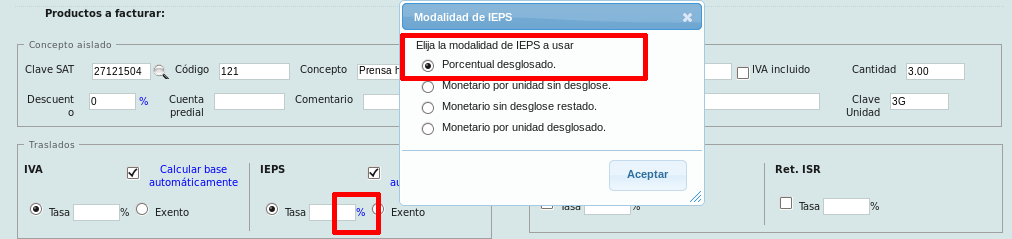
That the user understands how the IEPS transfer is calculated and how to obtain their "taxable" base in the 4 modalities presented by the system:
- Percentage breakdown
- Monetary value per unit without breakdown
- Monetary without breakdown subtracted
- Monetario por unidad desglosado
Create an invoice with IEPS
To perform this action, you must first log into the system as indicated in lesson ID-101.1
Once inside the system, enter the "Invoicing" module.

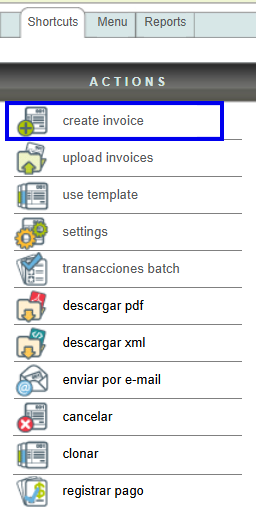
Next, click on the "Create invoice" button located in the "Actions" menu.
Percentage breakdown
This involves calculating the IEPS amount by taking a percentage and applying it to the tax base. If the base is calculated automatically, it will be the result of multiplying the unit price of the product or service by the quantity.
Click the symbol to the right of the tax field to select this option. If the symbol is a % this option is already selected.
Next, specify the tax rate.
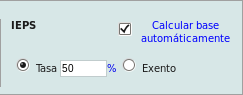
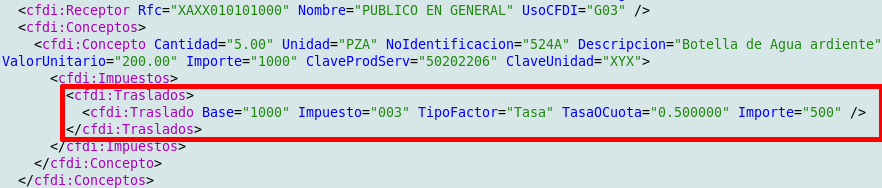
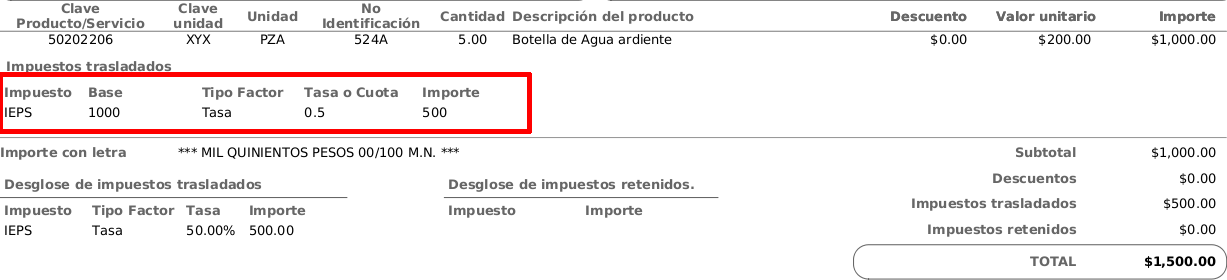
In this example, the system multiplies the price 200.00 by the quantity 5.00, which gives a base of 1000. Applying the 50% tax to the base, we have: 0.5 x 200.00, giving the IEPS tax of 500.00.

This can be verified by looking at the tax line for each item within the XML.
Similarly, you can see the tax on the invoice.
Monetary value per unit without breakdown
This involves treating the specified IEPS amount as a fixed sum rather than a percentage rate, which is not considered a tax, and adding it to the item's price to calculate the total amount. The remaining taxes (IVA and withholdings) are calculated using the item's total amount but without the added IEPS.
Click the symbol to the right of the tax field to select this option. If the symbol is $* this option is already selected.
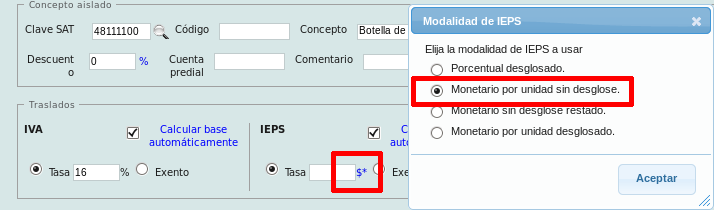
Next, specify the amount of tax.
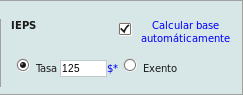
In this example, the system takes the IEPS amount of 125.00 and adds it to the item price, that is: 125.00 + 200.00 = 325.00. Then, the item amount (price * quantity) is obtained: 325.00 * 5 = 1625.00. Next, the 16% IVA is obtained from the item amount without IEPS: price * quantity * percentage rate = 200.00 * 5.00 * 0.16 = 160.00. After adding these amounts, we have the total of the invoice: item amount + remaining taxes (IVA) = 1625.00 + 160.00 = 1785.00.

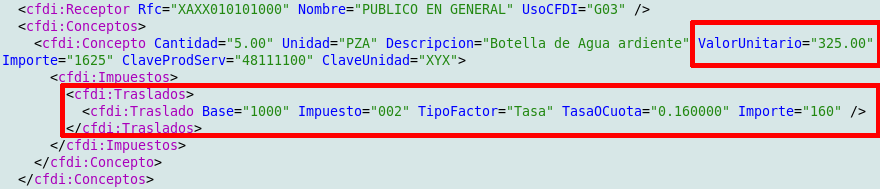
You can see in the XML that there is no line for IEPS tax, as this is seen as an amount in the "ValorUnitario".
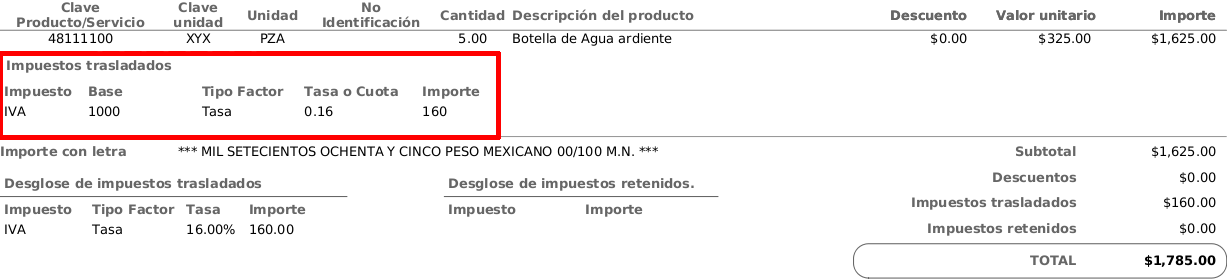
Upon reviewing the invoice, you can also confirm that the IEPS is not considered a tax, but rather an additional amount within the concept, which is why it does not appear in the tax list.
Monetary without breakdown subtracted
It consists of the specified IEPS amount being taken as a fixed amount instead of a percentage rate, which is not considered a tax, and which will be subtracted from the price of the item only to calculate the other taxes (transfer IVA and withholdings) based on the amount of the item taking this subtraction into account.
Click the symbol to the right of the tax field to select this option. If the symbol is $**, this option is already selected.
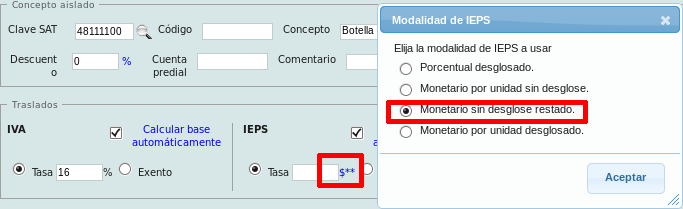
Next, specify the amount of tax.
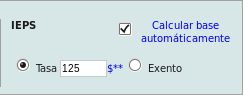
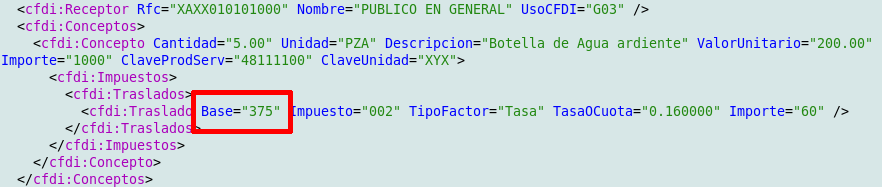
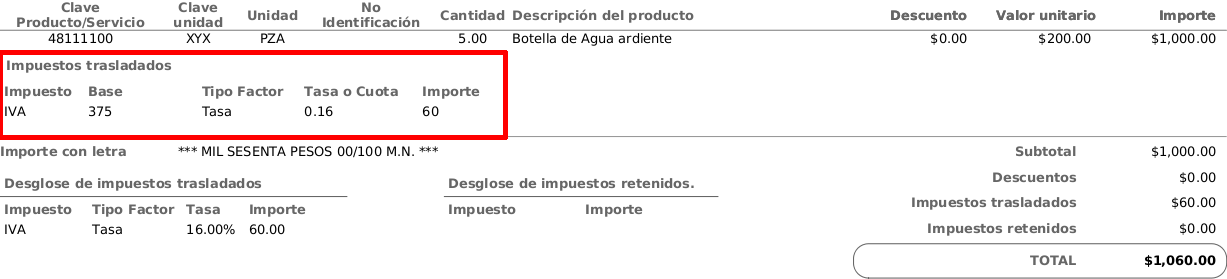
In this example, the system takes the IEPS amount of 125.00, subtracts it from the item price of 200.00, and multiplies this amount by the quantity 5.00 to obtain the amount used for taxes: 200.00 - 125.00 * 5.00 = 375.00. This amount is then used as the basis for the IVA tax (16%) in this case: 375.00 * 0.16 = 60.00. After obtaining this tax, it will be added to the actual amount of the item (price without IEPS * quantity): 200.00 * 5.00 + 60.00.

You can see in the XML that the IEPS amount is only used to calculate the base for the other taxes, in this case the IVA, but the concept amount remains intact to obtain the total.
Upon viewing the invoice, you can also confirm that the IEPS is not considered a tax, but rather an amount used solely for tax calculation purposes, which is why it does not appear in the list of these taxes.
Monetary per unit broken down
This involves treating the specified IEPS amount as a fixed sum rather than a percentage rate. This sum must be one of those approved by the SAT in the "TasaOCuota" catalog, which is then multiplied by the quantity of the product or service and added to the total amount.
Click the symbol to the right of the tax field to select this option. If the symbol is $***, this option is already selected.
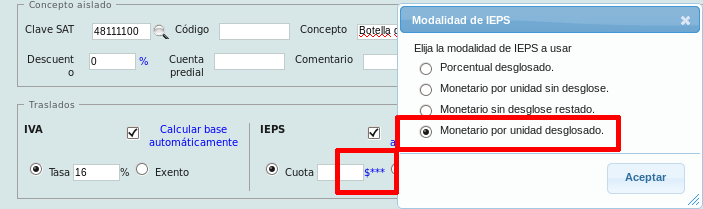
Next, specify the tax rate.
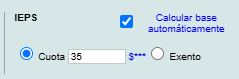
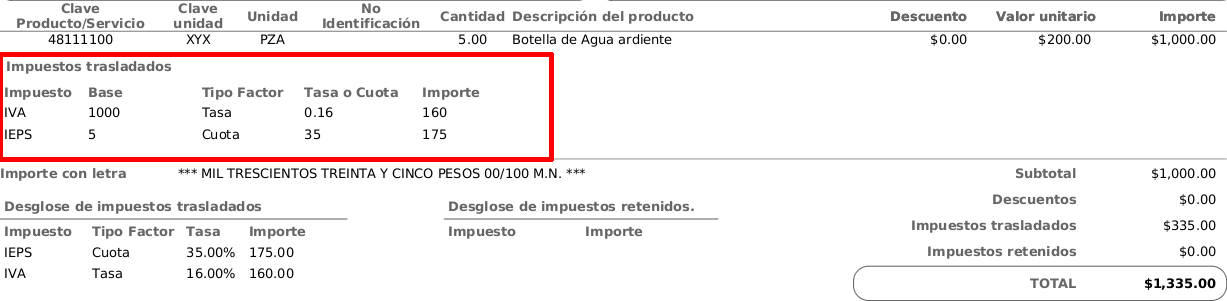
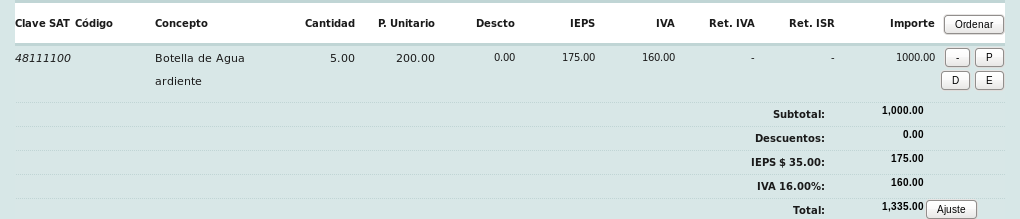
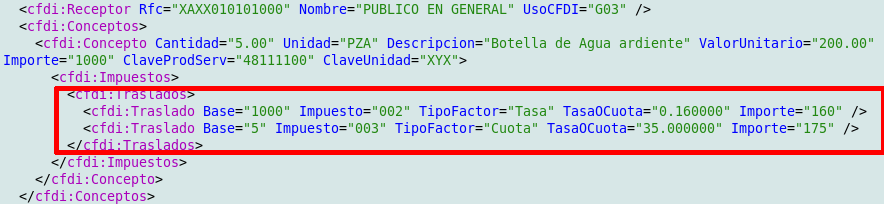
In this example, the system takes the IEPS tax of 35.00, multiplies it by the product quantity of 5.00: (175.00), and adds it to the total amount. The product or service amount is calculated by multiplying the price of 200.00 by the quantity of 5.00 (1000.00). The IVA amount is calculated by taking the base price x quantity (1000.00) and deducting 16%. These amounts are added together to give the total amount: IEPS tax + product or service amount + IVA = 175.00 + 1000.00 + 160.00 = 1335.00.
You can see in the XML file that the IEPS amount is indeed treated as a tax (fee), and its base of 5 is the quantity of the product or service. IVA is calculated in the usual way, using the price multiplied by the quantity of the product or service as the base.
Looking at the invoice, you can also confirm that the IEPS is listed as a tax alongside IVA.