Tags: Invoicing, term, payment
Lesson ID-106.7.1
Updated to:
20/01/2026
Lesson objective
The user should know how to add a payment term for invoicing purposes.
Create a payment term
To perform this action, you must first log in to the system as indicated in lesson ID-101.1.
Go to the "Invoicing" module.

Click on the "Settings" option in the "Actions" menu on the left side of the screen.
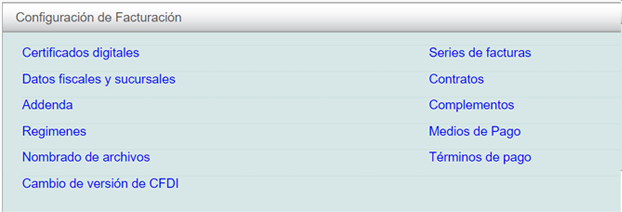
Click on the "Términos de pago" option in the menu that will appear on the screen.
Click on the "agregar" option in the "Actions" menu on the left side of your screen.

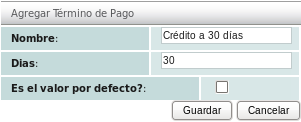
You will need to specify the "Nombre" and the number of "Días" for the new payment term. If you select the "Es el valor por defecto?" checkbox, this new term will become the new default value, as only one default term is allowed.