Tags: configuration, change, régimen, company
Lesson ID-106.3.1
Updated to 09/01/2026
Lesson objective
The user needs to know how to change their company's tax regime in the system.
Change tax regime
Your company's tax regime is captured at the moment you registered with the Solución Factible® electronic invoicing system; however, some companies occasionally change this regime or add new regimes to their obligations.
Log in to the system as instructed in lesson ID-101.1
Once inside the portal, access the "Invoicing" module.

Next, click on the "Settings" button located in the "Actions" menu.
The available options in the settings panel will be displayed shortly. Click on the "Regímenes" option.
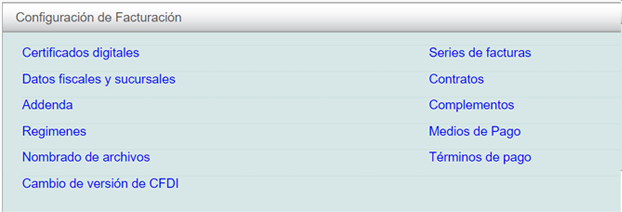
Regimes
Upon logging in, you will be able to see the list of available tax regimes, and you will also be able to view your company's tax regime.
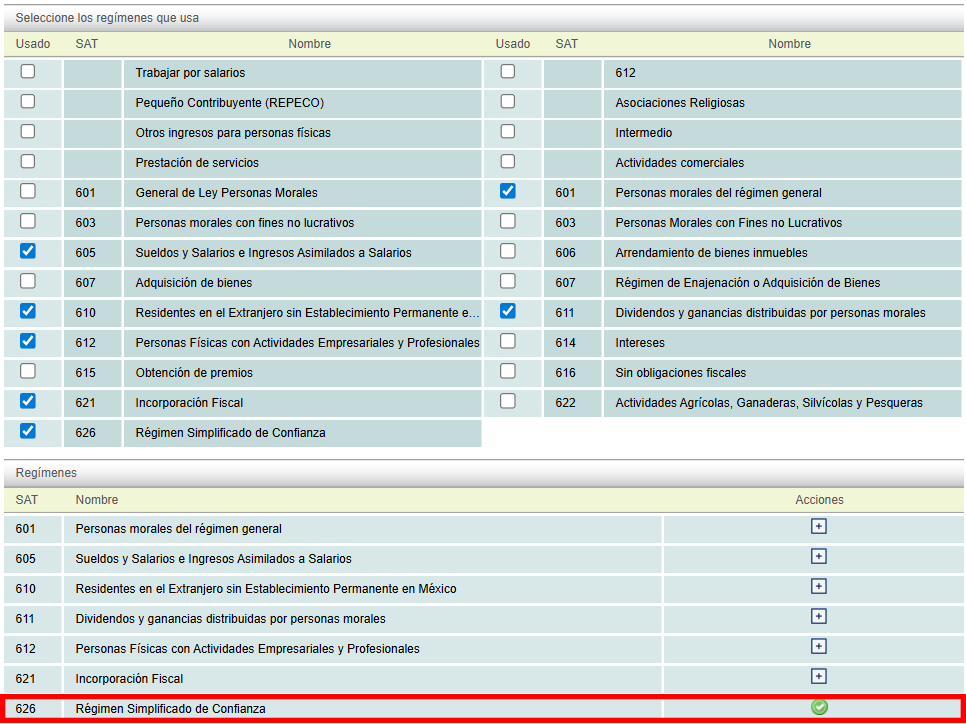
To change it, click on the "+" icon in the "Acciones" column.
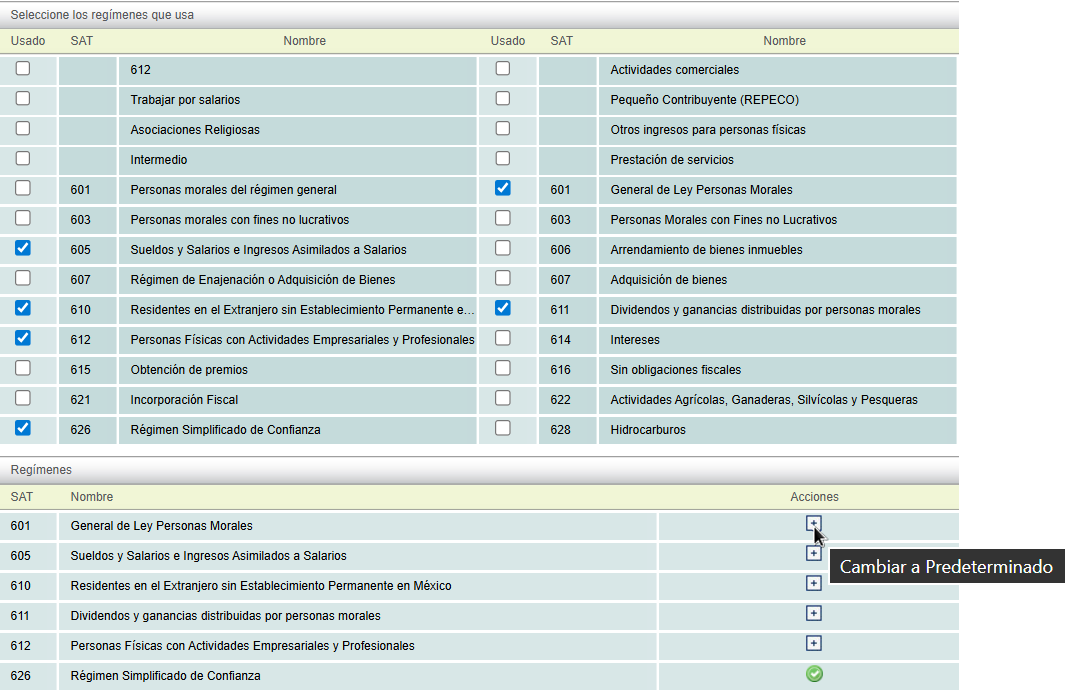
If your tax regime is not listed, please contact the Support team at Solución Factible®.
