Tags: Invoicing, payment
Lesson ID-103.21
Updated to
05/02/2026
Lesson objective
The user should know how to pay a bill online with a credit card.
Pay a bill online with a credit card
Make sure you have received an email with a PDF attachment showing the invoice information. After opening the PDF, go to the section where the invoice total is displayed.
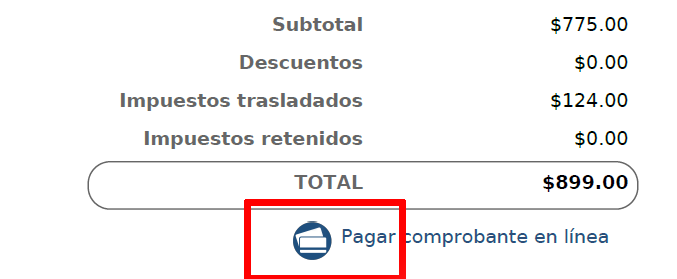
Below the total, you will see the text: "Pagar comprobante en línea". Click on the icon to the left of the text or on the word "Pagar".
This link will remain active until the invoice is paid.
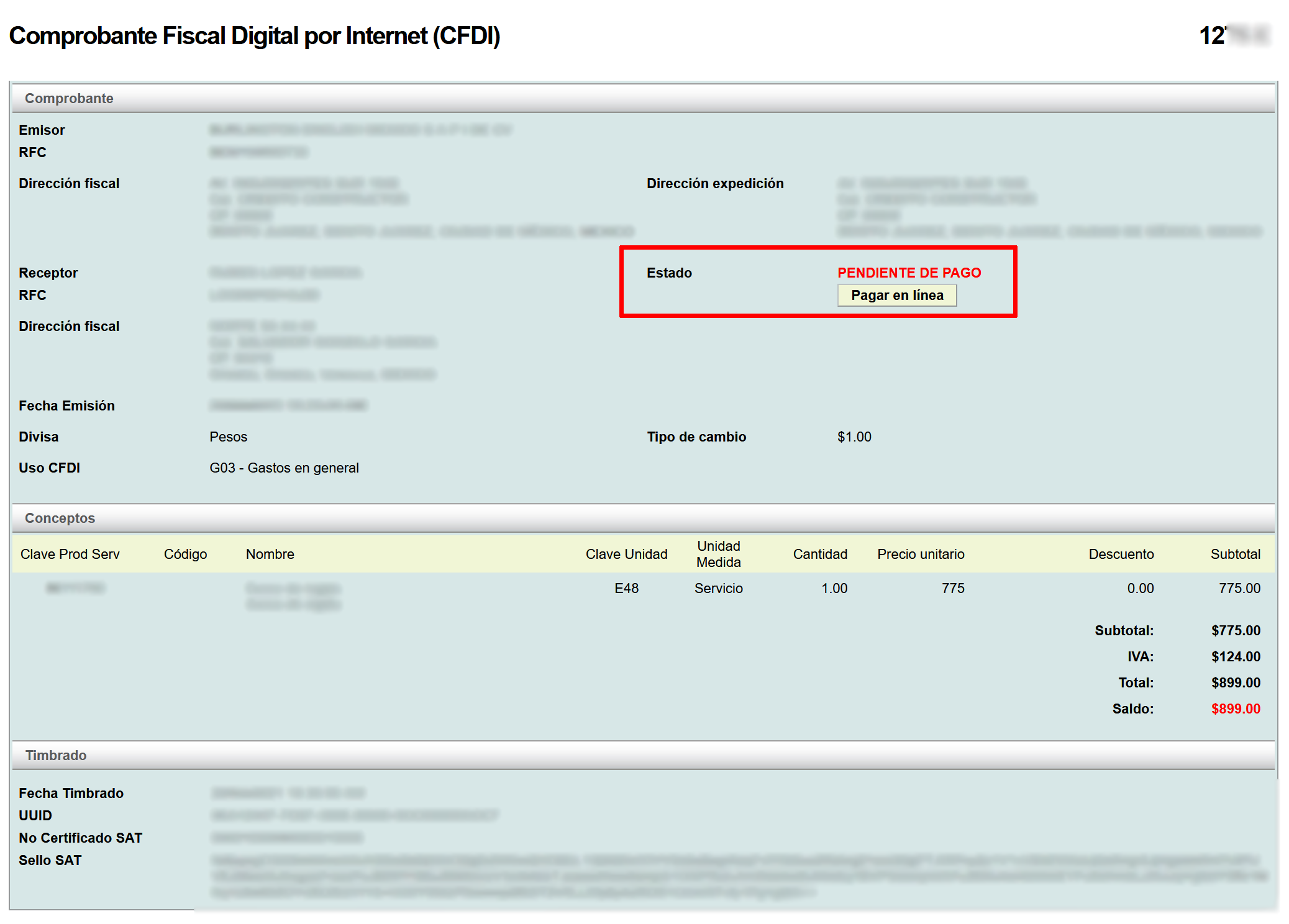
Next, your default browser will open the following window with the invoice information. Click on the "Pagar en línea" button.
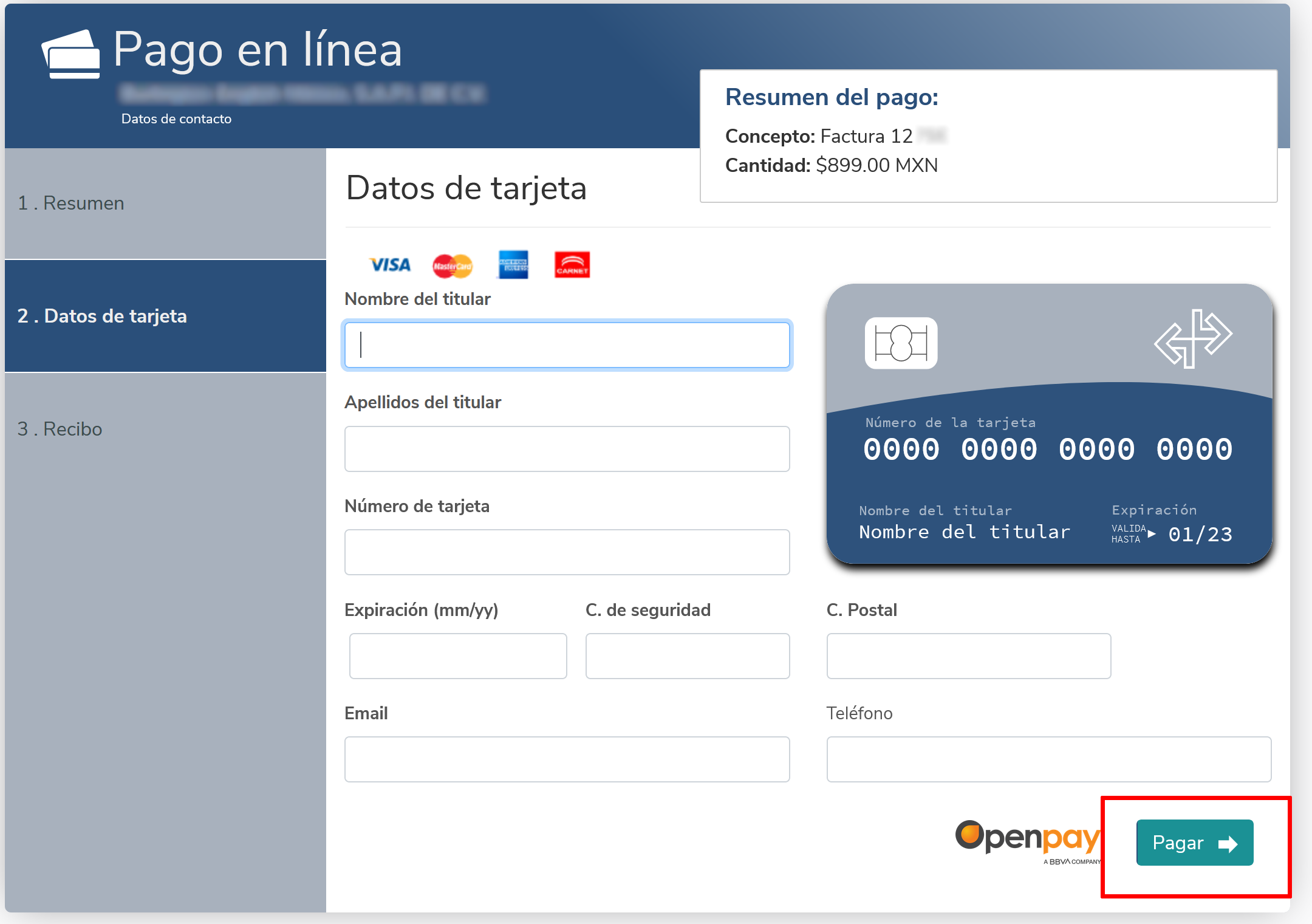
Then, a new tab will open with the following interface, where you will be asked to enter your credit card information. Once you have filled in the information, click on the "Pagar" button.