Tags: configuration, method of payment
Lesson ID-106.6.1
Updated to
19/01/2026
Lesson objective
The user should know how to view and manage payment methods in the system.
Method of payment
To perform this action, you must first log in to the system as indicated in lesson ID-101.1
Go to the "Invoicing" module.

Click on the "Settings" option in the "Actions" menu on the left side of the screen.
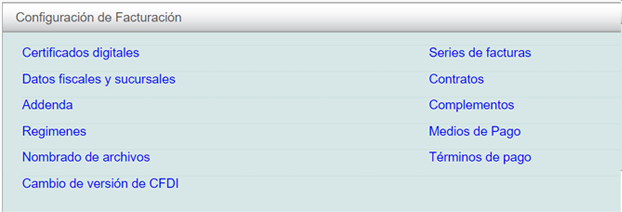
Click on the "Medios de Pago" option in the menu that will appear on the screen.
The payment methods already registered will be displayed. You will be able to view all payment methods and, if desired, set a default payment method for a CFDI (e-document).
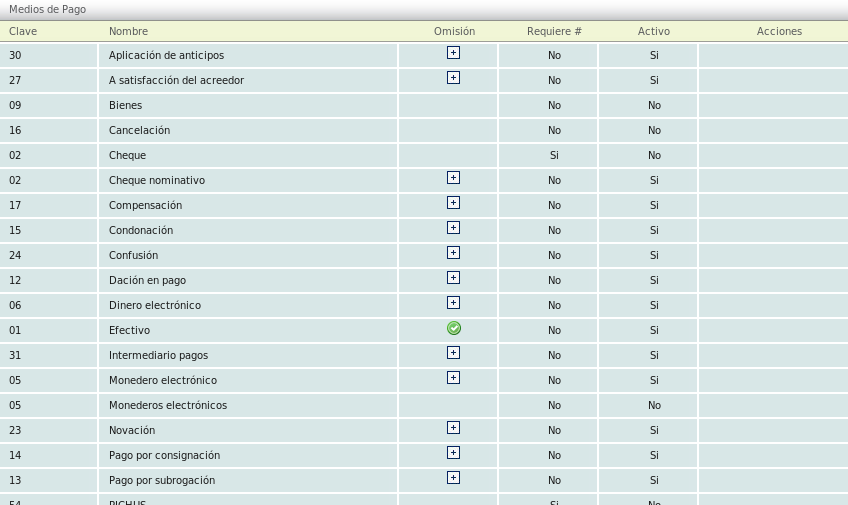
If you need to select a different method from the list than the one already selected, simply click on the button with the "+" symbol to make the change.
